Deprecated: Creation of dynamic property WP_Term::$cat_ID is deprecated in /var/www/twodee/blog/wp-includes/category.php on line 378
Deprecated: Creation of dynamic property WP_Term::$category_count is deprecated in /var/www/twodee/blog/wp-includes/category.php on line 379
Deprecated: Creation of dynamic property WP_Term::$category_description is deprecated in /var/www/twodee/blog/wp-includes/category.php on line 380
Deprecated: Creation of dynamic property WP_Term::$cat_name is deprecated in /var/www/twodee/blog/wp-includes/category.php on line 381
Deprecated: Creation of dynamic property WP_Term::$category_nicename is deprecated in /var/www/twodee/blog/wp-includes/category.php on line 382
Deprecated: Creation of dynamic property WP_Term::$category_parent is deprecated in /var/www/twodee/blog/wp-includes/category.php on line 383
A few weeks ago, my wife asked me if I thought our sons would study computer science. I told her that I hoped to teach them enough of it at home that they’d be freed up to study something else.
I really do like my discipline, but I love more the things that my children, my students, and I can make with it. The past few years, I have been searching for ways to make computer science less virtual and more physical, more integrated in the world around us. Our agenda for today is to demonstrate three projects that support my mission of making computer science less virtual.
Computational Making
Schools left and right, politically and geographically, are establishing makerspaces, buying up 3D printers and laser cutters, and getting their students designing and building real things. The students are making. This sounds great. However, if you talk to the teachers and librarians who are staffing these makerspaces, you will hear about the many kids who are just downloading other people’s 3D models and design files from Thingiverse and fabricating those.
This happens for a couple of reasons. First, its part of the maker ethos to share what one has made. Second, learning to model in 2D and 3D is time-consuming and doesn’t really fit well into an already crowded school curricula. I think computer science can fix this. Instead of just plain making, we need computational making.
We hear a lot these days about computational thinking. There’s little agreement about what skills and concepts make up computational thinking, and it has come to be used as a way to invoke the idea of computer science but subtract out or downplay programming. I needed a term to invoke the idea of creating but with programming added in. That is computational making, which I define as a creative process
- guided by algorithms and data
- carried out in a parametric design space
- with a physical output.
Let’s now look at some tools I’ve been building to facilitate computational making.
Madeup
The first tool is Madeup, a programming language for making things up—literally. It is very much modeled after the drawing mechanics of Seymour Papert’s Logo from the 1980s, but extended to three dimensions. Madeup, like Logo, is meant to make learning geometry an interactive experience. Instead of imposing a grand coordinate system over all space, the programmer uses a coordinate system relative to the avatar on the screen. Logo’s avatar was a turtle, and Papert called this way of thinking about space turtle geometry. Let’s see it at work in an example. We’ll code a rupee from the Legend of Zelda games.
For those of you who have been spending your time elsewhere, rupees look like this:

We will program the cross section of one of these. Imagine that we cut one right down the middle. What shape would we see? An elongated hexagon. Let’s write Madeup code to trace out the top half of the hexagon, like so:
Next we revolve that cross section around the x-axis, sampling the surface or revolution just six times to produce the hexagonal structure:
And finally we stretch it a bit vertically:
What if want to make a sharper bevel? We must change the angle we turn. Instead of 45, let’s try 30:
Whoops. We’ll need to change the peak angle too. But to what? Some experimentation leads us to 120:
But we can do better than experiment. Why is it 120? Because all told, we are turning back the direction we came, which is 180 degrees. We burn 30 of those up on the first yaw and 30 on the third yaw. That leaves 120 left for the middle yaw. Now we can generalize this and turn the angle into a parameter:
Madeup is a fully-featured programming language. It supports conditionals, loops, variables, functions, and arrays. There are many ways to turn a path into a solid. We’ve seen revolve, but there’s also dowel. Let’s make a chain link:
Let’s see a few more examples.
This perimeter of this gear is extruded and a hole is subtracted from its center:
The Madeup editor also supports a blocks programming interface, and one can (mostly) switch back and forth between text and blocks.
How does Madeup make computer science less virtual? The model can be printed on a 3D printer or embedded in a game engine.
I spent the last year
Twoville
The second project I’d like to share you has one less than dimension than Madeup. Twoville’s purpose is to help programmers build 2D scalable vector graphics (SVG) files that can be fed into a laser or vinyl cutter.
Let’s make another jewel, a diamond. Since we’re in 2D, we’ll just create the profile of a diamond. We start with a square, but rotate it a bit:
Twoville tends to be a very declarative language, as we’re often just setting properties. To ease the syntactic burden of setting a sequence of properties, I added in the scoping function with:
We want to chop off the top, so we overlay another rectangle across it:
To remove the red rectangle, we create a cutout object that serves as a mask:
A similar approach can be used to make a phone:
Like Madeup, Twoville supports conditionals, loops, functions, and arrays. I used functions to abstract out the droplet shapes of this logo that I walked by everyday in Brisbane, Australia, during the first half of my sabbatical:

If you’ve done anything with 3D printing in schools, you will have encountered the slowness of the technology. Models take a long time to print, and the machines need minding. 3D printing doesn’t scale well to large groups of students. Vinyl and laser cutters are much faster, and I think Twoville will better accommodate the time-limited summer camps and workshops I’ve been putting on back home.
Deltaphone
The last project I’d like to share has a less touchable output. It also has one less dimension than Twoville. I’m losing dimensions as I get older. It must be a case of “dimentia.” Deltaphone is my exploration of applying the idea of turtle geometry to music. Instead of thinking about music as a sequence of absolute positions on the staff, we think of a song in Deltaphone as a sequence of changes or deltas between one note and the next.
Let’s compose a little song to see how it works.
Deltaphone supports variables, conditionals, loops, and functions. The output of Deltaphone is a score.
This project is only a few months old, and I don’t know if it has a future or not. I need to find a music teacher who doesn’t feel threatened by technology and who can help me shape it into a tool to explore music theory and composition.
Conclusion
These are three projects that I have been developing to make computer science less virtual, to fit it into the everyday worlds of objects and music.
Educational psychologists argue about whether its better to learn a subject in a contextualized or decontextualized manner. Contextualized learning situates concepts in a themed narrative, like robotics or game development. Decontextualized learning happens when there is no overarching narrative.
Neither approach is perfect. We often rely on the context to engage students. The danger of contextualized learning is that learners may not see that concepts transfer to other contexts. For example, someone who has written an algorithm to determine the winner from a collection of players may not see that a very similar algorithm can be used to find the largest file in a directory. The danger of decontextualized learning is that that learners may not see that concepts transfer anywhere.
While this debate is important for educators to consider, I’d like turn it around a bit. What if we embedded computer science in a context not to improve the learning of computer science, but to improve the learning of the context? If the folks using these tools become better makers, mathematicians, and musicians, then my goal will be met.
]]>Deprecated: Creation of dynamic property WP_Term::$cat_ID is deprecated in /var/www/twodee/blog/wp-includes/category.php on line 378
Deprecated: Creation of dynamic property WP_Term::$category_count is deprecated in /var/www/twodee/blog/wp-includes/category.php on line 379
Deprecated: Creation of dynamic property WP_Term::$category_description is deprecated in /var/www/twodee/blog/wp-includes/category.php on line 380
Deprecated: Creation of dynamic property WP_Term::$cat_name is deprecated in /var/www/twodee/blog/wp-includes/category.php on line 381
Deprecated: Creation of dynamic property WP_Term::$category_nicename is deprecated in /var/www/twodee/blog/wp-includes/category.php on line 382
Deprecated: Creation of dynamic property WP_Term::$category_parent is deprecated in /var/www/twodee/blog/wp-includes/category.php on line 383
Deprecated: Creation of dynamic property WP_Term::$cat_ID is deprecated in /var/www/twodee/blog/wp-includes/category.php on line 378
Deprecated: Creation of dynamic property WP_Term::$category_count is deprecated in /var/www/twodee/blog/wp-includes/category.php on line 379
Deprecated: Creation of dynamic property WP_Term::$category_description is deprecated in /var/www/twodee/blog/wp-includes/category.php on line 380
Deprecated: Creation of dynamic property WP_Term::$cat_name is deprecated in /var/www/twodee/blog/wp-includes/category.php on line 381
Deprecated: Creation of dynamic property WP_Term::$category_nicename is deprecated in /var/www/twodee/blog/wp-includes/category.php on line 382
Deprecated: Creation of dynamic property WP_Term::$category_parent is deprecated in /var/www/twodee/blog/wp-includes/category.php on line 383
Here we are at GEEKCon 2017 celebrating things that don’t quite make sense in this world. The things that our parents could never understand. The things they said wouldn’t get us more friends or a better job. GEEKCon is a celebration of being irrational with our time and energy, and finding that perhaps our parents were wrong.
Today we get to hear from five individuals who have spent an irrational amount of time and energy on video games. Not just playing them, but building them. They have landed in the credits.
Allow me to introduce them, and then we’ll dive into some questions:
- Dan Trewin was born in the fires of Platteville, WI. A couple of years later, he enrolled at the University of Wisconsin, Eau Claire, as a computer science major, where he currently helps students in an introductory programming class figure out what the code that they just wrote actually does. He says the games that have influenced him most are largely independent titles, like Towerfall, Super Meat Boy, Binding of Isaac: Rebirth, Tales of Maj’Eyal, Trainyard, and Dungeon Raid.
- Kyle Johnson fled from Waconia, MN, to seek out an education at UWEC, where he studies computer science. He works as a web developer for the university’s Learning and Technology Services group. The games that have influenced him most to make his own are ones that fit in his pocket, and his pocket is shaped like an Apple. These include Monument Valley, Tiny Wings, and Duet.
- Matt Larson comes from a little town north, south, east, and west of here called Eau Claire, WI. He graduated from the Department of Computer Science at UWEC and is now a full-time web developer. The games that have impacted him the most include Gauntlet, Dark Souls, Donkey Kong Country, and Faster Than Light.
- Seth Gilbert skipped rocks in the waters of Rice Lake, WI, before joining UWEC as a computer science major. He is quite happy to play games that only require him to click on things—repeatedly—but he also enjoys puzzlers and shooters. His favorites include Battlefront 2, Clash of Clans, Overwatch, FIFA, The Hobbit, Pokémon, and Beatles Rockband.
- Theresa Hanson comes from the Eau Clairea, and refreshingly, she did not study computer science. Rather, she studied graphic design and is now a freelance designer. The games that have influenced her the most include Zelda: Breath of the Wild and Lovers in a Dangerous Spacetime.
Audience members, at any time during the talk, I invite you to submit questions to the panel by texting them to 715-###-####. Or politely shouting them out.
Here are the questions I will ask our panelists:
- Tell us some stories about games you are making or you have made.
- Why exactly are you making games?
- What’s hard about making games? What’s easy?
- Some of us are passionate players of games. How do we start making our own?
- Stardew Valley is a farming simulator made more or less by a single individual: Eric Barone. He started working on the game right after he graduated with a computer science degree and was having trouble finding a job that he felt good about. He spent four years on the game, writing all the code, designing all the art, and composing all the music. Eric got his game greenlit on Steam, shipped it after several years of 10- to 15-hour workdays, and is now a multimillionaire. When you hear Eric’s story, what goes on in your own head when you think about making games?
- Some of you have graduated or are graduating soon. Have you considered pursuing game development as a career? What would that look like for you?
- Making money on the internet is a thrilling and dangerous business. Kickstarter has given us wonders and disappointments. Just this week, we saw incredible backlash when Patreon decided to alter their fee structure. What have been your experiences with publishing games and making money on the internet? Are there services that are better to developers than others?
- Tommy Refenes, who was part of the two-person team that developed Super Meat Boy, once said in an interview, “If you want to be a programmer, do not go to college.” What would you say to an impressionable 16-year-old who wants to make games?
- I’ve heard many technically-minded people run away from game design because they were afraid of making game art. They say, “I’m not an artist.” How can we help these people?
Deprecated: Creation of dynamic property WP_Term::$cat_ID is deprecated in /var/www/twodee/blog/wp-includes/category.php on line 378
Deprecated: Creation of dynamic property WP_Term::$category_count is deprecated in /var/www/twodee/blog/wp-includes/category.php on line 379
Deprecated: Creation of dynamic property WP_Term::$category_description is deprecated in /var/www/twodee/blog/wp-includes/category.php on line 380
Deprecated: Creation of dynamic property WP_Term::$cat_name is deprecated in /var/www/twodee/blog/wp-includes/category.php on line 381
Deprecated: Creation of dynamic property WP_Term::$category_nicename is deprecated in /var/www/twodee/blog/wp-includes/category.php on line 382
Deprecated: Creation of dynamic property WP_Term::$category_parent is deprecated in /var/www/twodee/blog/wp-includes/category.php on line 383
In recent years, block-based programming environments have gotten significant attention. By block-based programming environments, I am referring to platforms like Scratch from MIT:

And Snap! from Berkeley:

And Pencil Code:

And Alice from Carnegie Mellon:

And the hundreds of others, including my own for a language I’m writing for programmatically generating 3D models:

The vast majority of these tools are marketed to young children learning how to program. For someone new to programming, blocks provide some significant advantages:
- Blocks interfaces are based on simply recognizing commands listed in a toolbox, instead of recalling them from memory.
- Syntax concerns virtually disappear. Programmers simply snap program structures together with no concern for semicolons, matching braces, or indentation.
- Typing is minimized. One of the more painful experiences I’ve endured as a father is trying to teach my kids to code before they are familiar with the keyboard.
- They are usually tightly-coupled to media manipulation and integrated into a development environment that provides immediate feedback. Many of us think these media-rich domains are more interesting and accessible to children than more abstract concepts, like internet routing protocols.
I think it’s noble that we’re building tools to help young people learn to program. But when I attend workshops on blocks programming, I hear something more. People say that soon professional developers will be using block-based languages. That text languages will die.
Now you—like my reviewers and like me—might think the last of these claims is a little absurd. But my country of the United States has shown me that what seems like an absurdity can become reality, even without the popular vote. I’ve been in these conversations pitting blocks against text, and I felt like I needed to sit down and think clearly about why I think that text languages will not be overtaken by blocks. That thinking led me to this paper. So here’s the overarching question:
What would it take for a developer to choose a blocks language over a text language?
This question seems to be too sensitive to a developer’s opinions, so allow me to scale it back a little to be more about languages themselves. I’m fairly confident that a develop would not use a blocks language that wasn’t as powerful as the text languages they currently use, so I revise my question to this:
What would it take for a blocks language to be just as powerful as a text language? And vice versa? To achieve blocks-text parity?
Right now a lot of the debates in computer science education about blocks vs. text are really debates between Scratch or Snap! and Java. These two classes of languages are very different, and their differences threaten the validity of any claims made about blocks languages. I think we need more languages that can be expressed in both blocks and text forms—which is only possible in languages that have blocks-text parity—for several reasons:
- Because then we can truly control for the differences between blocks and text and discern their respective advantages.
- Because then we can provide smoother transitions for learners going from blocks to text. Instead of jumping across languages, they can simply jump across interfaces.
- Because then we can see how blocks as an interface scales up to general purpose languages.
Even if we don’t develop languages that support both blocks and text, I have a backup question:
How can we have rational debates about blocks and text?
Let’s walk through a catalog of four goals that we need to meet to achieve blocks-text parity—or at least have rational debates about the two.
Syntax
Altadmri and Brown collected error data from 37 million compilations in BlueJ, an IDE for learning object-oriented programming—Java, in particular. Syntax errors occurred 1.5 times more often than semantic errors—like reaching across scopes or referencing uninitialized variables. And both syntax errors and semantic errors occurred considerably more often than type errors.
Blocks evangelists will tell you that in a blocks language, this most prominent type of error mostly disappears. Blocks simply don’t let you forget a semi-colon. However, I have found that these evangelists are often implicitly comparing blocks to syntactically-intricate languages like C and Java, which are rich in punctuation unfamiliar to new programmers. Indeed, Altadmri and Brown identify the most common syntax error in their dataset as unbalanced parentheses. If you remove the mandatory parentheses and semi-colons from a language, one wonders how many syntax errors are left.
Here’s the entire table of errors from their paper:

Error C is unbalanced parentheses. It’s about twice as prevalent as error I, which is providing the wrong type or number of parameters in a method call. Error O is omitting a return statement. Error A is confusing the assignment operator = for the relational operator ==. This confusion can be prevented by using more distinct operators. I conclude that a text language can be designed so that syntax errors are not the primary concern. Even in Java, this table suggests that syntax errors are some of the most quickly fixed.
Goal #1
This leads us to parity goal #1: design text languages with less syntactic burden. And to debate goal #1: compare blocks to text languages with lighter syntax, like Python, and make sure syntax issues are not your only selling point of blocks. Discuss how blocks communicate the API, how they reduce typing, and how they lead the programmer along in the construction of a program.
Abstractions
Nearly all blocks languages are domain-specific. A domain-specific language has a small standard library. Scratch, for example, provides just over 100 commands, most of them dealing with manipulating sprites and sounds. Let’s see some examples of the abstractions we see in blocks languages.
Loops
Scratch’s domain centers on animations. To support the continued application of some behavior across all frames, it supports a forever block:

Most of our general purpose languages consider infinite loops to be poor design and don’t provide an abstraction for them. To do something similar in Python, we’d have to write:
while True:
  # repeated step
To a 5-year-old, the difference between forever and while True is not insignificant.
Events
Our blocks platforms also tend to provide very convenient hooks that let programmers write very short and very specific code to be run on certain events. For example, here are some event blocks from an exercise on Code.org:

Providing such direct abstractions is possible because the number of events is small. Our general purpose text languages don’t have the luxury of being so tidy. In Java, we’d have to hook up a key listener:
public class GameWindow {
  public void keyPressed(KeyEvent e) {
    if (e.getKeyCode() == KeyEvent.VK_UP) {
      ...
    }
  }
}
Oh, but because we’re in Java, we need to fall into a polymorphic hierarchy:
public class GameWindow implements KeyListener {
  public GameWindow() {
    addKeyListener(this);
  }

  public void keyPressed(KeyEvent e) {
    if (e.getKeyCode() == KeyEvent.VK_UP) {
      ...
    }
  }
}
Oh, but because we’re in Java, we need to provide implementations of the all methods of the interface, so really we need this:
public class GameWindow implements KeyListener {
  public GameWindow() {
    addKeyListener(this);
  }

  public void keyPressed(KeyEvent e) {
    if (e.getKeyCode() == KeyEvent.VK_UP) {
      ...
    }
  }

  public void keyReleased(KeyEvent e) {}

  public void keyTyped(KeyEvent e) {}
}
Goal #2
One of the more serious concerns I have about blocks evangelism is that what we think are advantages of the blocks interface are really just advantages of small languages that are carefully tuned to their domain. Just last week I had a conversation at a grading conference for a national exam in the United States with several teachers who couldn’t wait for a blocks language to knock out a mainstream text language. I fear that teachers are becoming anti-text simply because the easiest distinction to make between Scratch and Java is that one uses blocks and the other uses text. There are other differences, and the size of the domain to which they are currently applied is probably the most significant.
That leads us to parity goal #2: design small text languages for manipulating media. A library of utility classes and functions is not sufficient. The core language must itself be small if we are going to be able to compare blocks and text. Or design a blocks language to be general purpose and see how it fares among users. Debate goal #2: consider language size and a code editor’s interface as separate user-experience concerns.
Imperative
Many of our blocks platforms force a very imperative style of programming. In particular, they have much narrower semantics in regards to statements and expressions than we find in mainstream text languages. In PencilCode, here I am trying to create a square function using the blocks interface:

But it’s not working. The function block is expecting a statement block. Unfortunately, multiplication is an expression block, but there’s no way to place that multiplication block inside of it. There’s no special return block, and expression blocks can’t be turned into statement blocks. Interestingly, if I write the function in text first, it translates to blocks exactly as I’d hope:

But I can’t write what I want without resorting to text.
In Scratch, we’ve got even narrower semantics yet. Scratch supports procedures, but not functions:

There’s no way to write a subroutine that returns a value. Even procedures have not always been supported in Scratch.
Goal #3
Our current blocks platforms teach a very imperative style of programming. That leads us to parity goal #3: allow blocks to be amphibious. That is, let them operate as both statements and expressions. Consider a stack data structure. The pop method is sometimes used just to throw away the top element:

You see how it’s got the previous and next connectors to embed it inside a sequence of statements.
But sometimes we need to also process the top element:

Here pop has a value connector so that it may be treated as an expression.
To support both roles, we either need two forms of each block, or we need a way to dynamically alter a block’s connectors.
If we aren’t going to change our languages, then let’s at least achieve debate goal #3: acknowledge that blocks frameworks tend to focus on the programming of side effects, a much narrower task than what we expect of text languages.
Advanced Features
For our last goal, let’s consider a few more advanced semantic constructs that we rarely see in blocks languages.
Lvalues
All of the blocks languages I have used have a very narrow interpretation of what programming language designers call lvalues. Lvalues are the values that live in memory somewhere. Lvalues are in contrast to rvalues, the transient values that are the result of some intermediate computation. Roughly, lvalues are the things that we can assign values too, the things that can appear on the left-hand side of an assignment statement.
In most blocks languages, the only thing that can serve as an lvalue is a variable identifier. Consider these blocks from Tynker:

Where you see i, I could only have entered a variable name. But our mainstream text languages support other kinds of lvalues. Like these four in C++:
*p = 17;             // pointers
freq[5]++;           // subscripting
prefs["width"] = 80; // references
position.x = 0;      // field access
Of these, only subscripting tends to be supported in blocks languages, but interestingly, these blocks languages provide two different setter blocks: one for assigning variables and one for assigning array elements. But from a programmer’s standpoint, an assignment is an assignment.
Closures
I’m only aware of two blocks languages that support closures: PencilCode and Snap!. A closure is a function that can access variables from the surrounding scope. But many blocks don’t allow functions to be defined in line at all—meaning there is no surrounding scope possible. Notice the absence of previous and next connectors on procedure blocks in Scratch:
Procedures in Scratch are lonely islands of code. Any variables they access must be parameters or globals. But we use closures quite often in text languages. One of the most common situations in which we use closures is in registering callbacks, as we do here in Javascript:
function sayAfter(message, delay) {
  setTimeout(function() {
    alert(message);
  }, delay);
}
This function schedules an alert to pop up after a few seconds. It only works because our anonymous function can close up around message and access it after the delay. This kind of programming simply isn’t possible in Scratch. We could make message global, but then it would be vulnerable to changes from other code.
Goal #4
This leads us to design goal #4: design blocks languages that have the same advanced features as the text languages to which we hope to compare them. Debate goal #4: acknowledge that a blocks language that supports all the features of our text languages would not be very fun to use and might compromise their advantages—but that those features are important to a lot of developers.
Conclusion
That’s four. There are a handful of other issues that frustrate our of comparison of blocks and text languages. Like the tight coupling between a blocks language and an IDE, the minimal type system that novice programmers encounter in blocks languages, and the relative difficulty of copying and pasting sequences of blocks. But I’ll leave it at these four for the time being.
Will blocks be the future of programming, even for expert programmers? Blocks work well for an imperative style of programming in a small domain. But will they scale to support the full semantics of our text languages? Our intuition probably wants us to give an answer, but I believe that our current understanding is too narrow to say. But at least now I have a list of things with which I can experiment to better compare the two.
]]>Deprecated: Creation of dynamic property WP_Term::$cat_ID is deprecated in /var/www/twodee/blog/wp-includes/category.php on line 378
Deprecated: Creation of dynamic property WP_Term::$category_count is deprecated in /var/www/twodee/blog/wp-includes/category.php on line 379
Deprecated: Creation of dynamic property WP_Term::$category_description is deprecated in /var/www/twodee/blog/wp-includes/category.php on line 380
Deprecated: Creation of dynamic property WP_Term::$cat_name is deprecated in /var/www/twodee/blog/wp-includes/category.php on line 381
Deprecated: Creation of dynamic property WP_Term::$category_nicename is deprecated in /var/www/twodee/blog/wp-includes/category.php on line 382
Deprecated: Creation of dynamic property WP_Term::$category_parent is deprecated in /var/www/twodee/blog/wp-includes/category.php on line 383
Deprecated: Creation of dynamic property WP_Term::$cat_ID is deprecated in /var/www/twodee/blog/wp-includes/category.php on line 378
Deprecated: Creation of dynamic property WP_Term::$category_count is deprecated in /var/www/twodee/blog/wp-includes/category.php on line 379
Deprecated: Creation of dynamic property WP_Term::$category_description is deprecated in /var/www/twodee/blog/wp-includes/category.php on line 380
Deprecated: Creation of dynamic property WP_Term::$cat_name is deprecated in /var/www/twodee/blog/wp-includes/category.php on line 381
Deprecated: Creation of dynamic property WP_Term::$category_nicename is deprecated in /var/www/twodee/blog/wp-includes/category.php on line 382
Deprecated: Creation of dynamic property WP_Term::$category_parent is deprecated in /var/www/twodee/blog/wp-includes/category.php on line 383
Introduction
Madeup is a tool I began building in 2013 in order to study and teach the algorithms of everyday objects. It’s a language for making things up—things that live in 3D space, things that I could print on a 3D printer. It’s also a language for introducing computer science to people who have themselves navigated around in space and know what it means to turn and move—basically, anyone with a body.
Our goal today is to demonstrate the language and discuss how we might use it and 3D printing to introduce computer science to young learners. The language is very much still in its infancy, and I welcome your feedback.
Demonstration
Let’s start with some examples. Madeup is very much modeled after Logo, which allowed learners to use differential or turtle geometry commands to trace out interesting 2D paths. The learners felt like they were in the cockpit of a turtle, giving commands to move relative to the turtle’s current heading and position. Seymour Papert called this “body syntonic” learning. When your whole body can empathize with the computer, a loving relationship unfolds. Like how we love our horses. Or bicycles. Or cars. Hopefully one of those resonated with you.
Madeup builds on body syntonism too, but takes it into the third dimension. Let’s have a look. I’m afraid we don’t have enough time to make this a tutorial, so I will zip through these more quickly than I want to.
Box
Our first step in a Madeup program is to be born at some location in 3D space. For that, we use the moveto command. In Madeup, we don’t visit every little corner of our model. We visit a representive core like a center point or a cross section, and then use a solidifier to thicken it to three dimensions. The simplest solidifier is box.
Once established in space, we can use turtle geometry commands to move around and visit other locations. Since we’re in 3D, turning is a little more involved. We use the aeronautical terms yaw, pitch, and roll to specify what kind of turn we want. Let’s move to a corner and plop down another box. But instead of adding this new box on to the existing one, let’s carve it away from the first box:
Somehow my children are able to discuss Minecraft with their classmates. How they keep up in these conversations baffles me, because we do not play it at home. I think all their information comes from books. That’s not entirely true, I suppose, because we have written some code to convert Minecraft structures into Madeup programs. We built this little swimming pool in a summer school program for 1st through 5th graders:
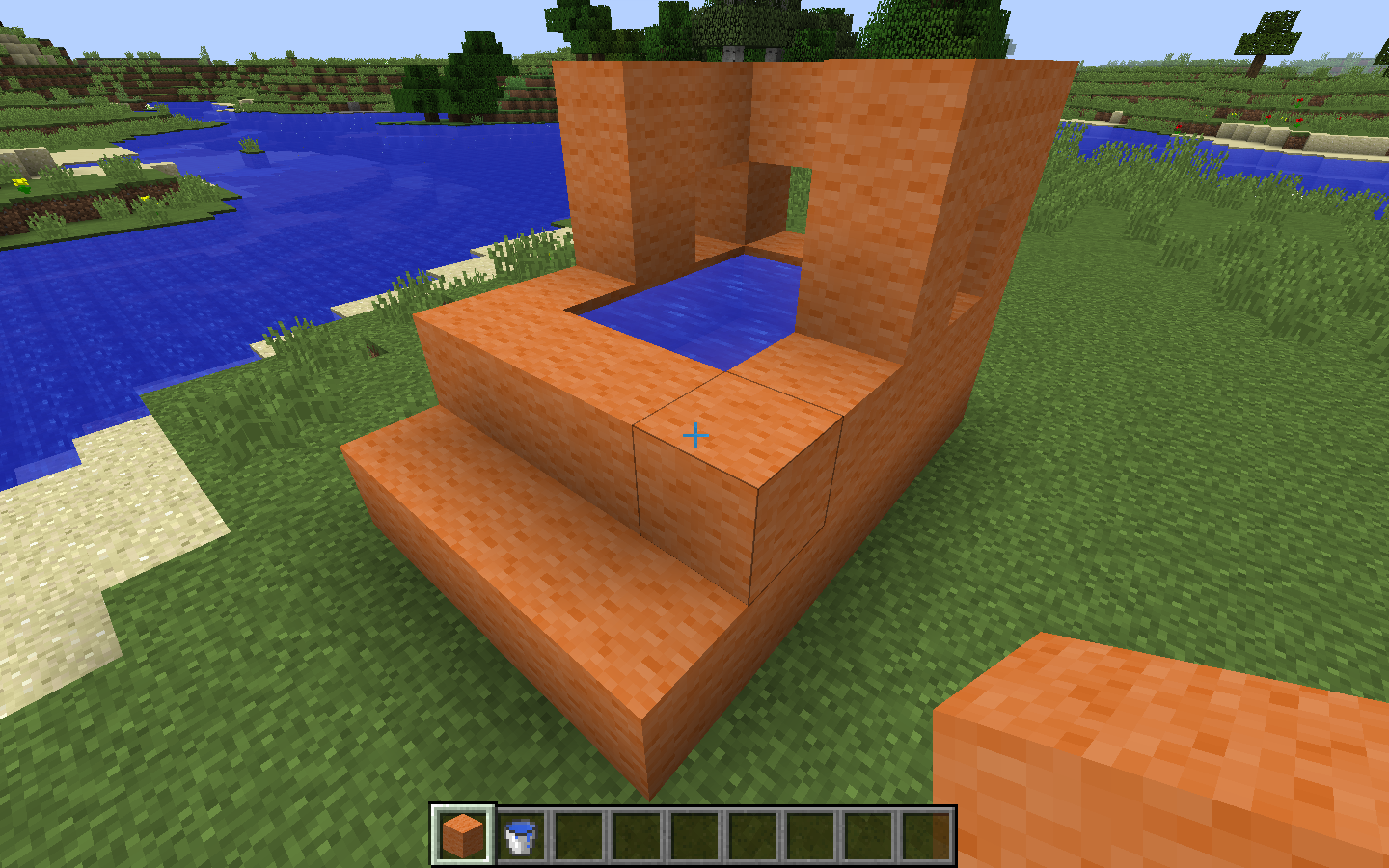
We then used our Minecraft plugin to convert it to a Madeup program using the box solidifier. We exported the model and we printed it. I’m afraid I don’t have a printed model here to show you, because I was mugged by the students.
Dowel
Boxes are simple, so let’s look at something a little more algorithmic. Logo folks like to start off with a square and then work their way up to a circle approximated via many short line segments. Let’s just jump right into modeling a chain link, which is kind of like a circle with two of its approximating segments stretched out.
Here we have traced out the central axis of an object. We thicken it using the dowel solidifier. The number of facets on the dowel is determined by a builtin variable named nsides.
I found that the spatial domain involves a lot of loop-and-a-half or fencepost problems, so I added a loop structure to express such formulations.
Extrude
One of my goals with Madeup is to enable young people to see algorithms in the world around them. I’m afraid we don’t have numbers for you yet to tell you how we’re doing on that, but I can share this. I was at Aladdin’s restaurant in South Bend, Indiana, when my seven-year-old son and I saw some wall paper with a repeating geometric shape. I said to him, “I bet we could model that in Madeup.” The next morning, he sat down and coded this up with no help from me:
That’s what was on the wall. He didn’t make any mistakes when he wrote this, which kind of bothers me. He had worked the angles out in his head and didn’t need the visual feedback that Madeup provides.
Here’s a slightly more complicated example that achieves something similar, but uses polar coordinates and the mod operator to get the sawtooth pattern. It also adds in some color:
Revolve
Let’s look at one more example of modeling El Castillo, a pyramid from the Mayan city Chichen Itza in Mexico.
Student Work
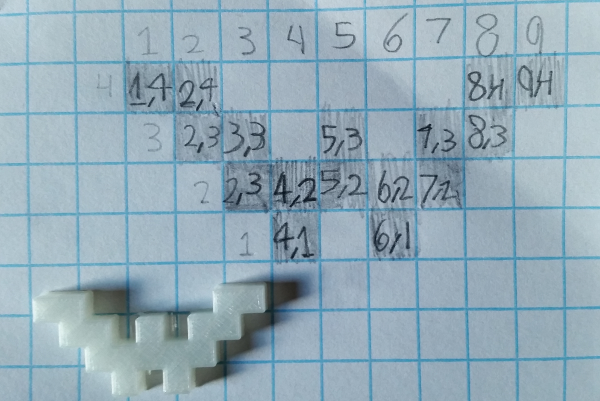
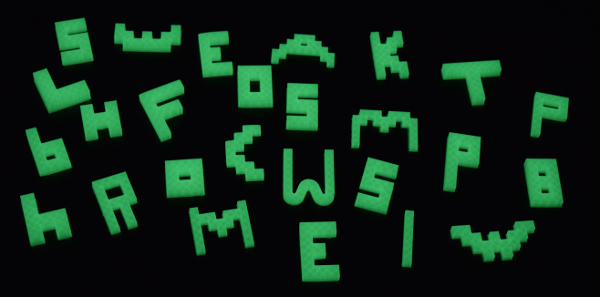

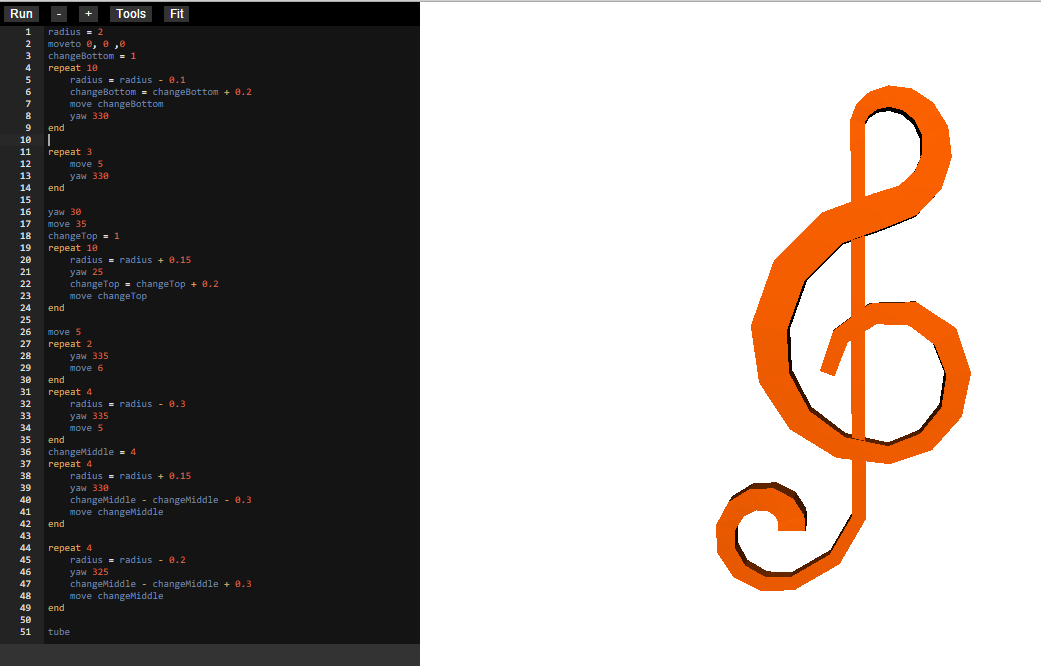
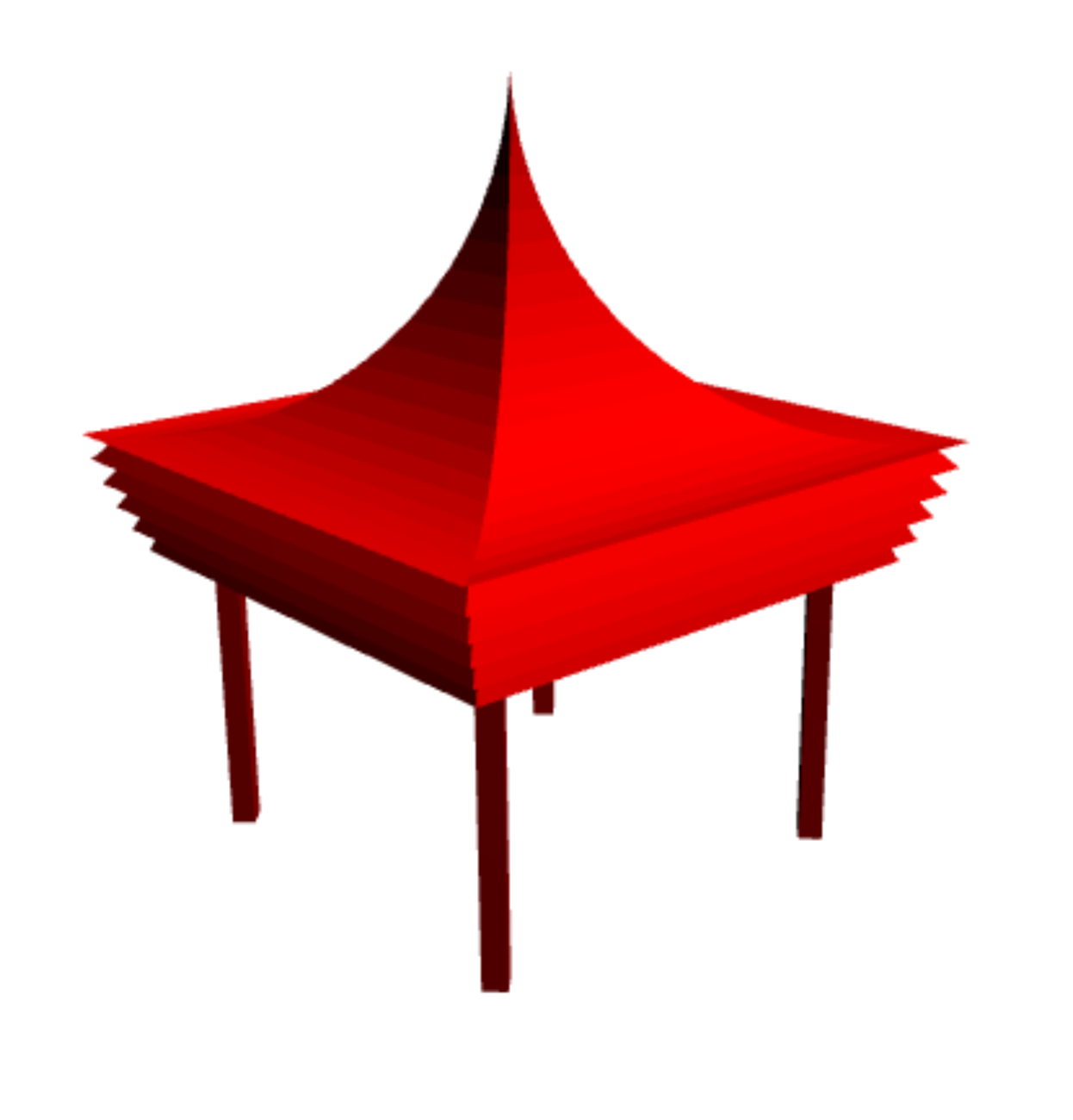
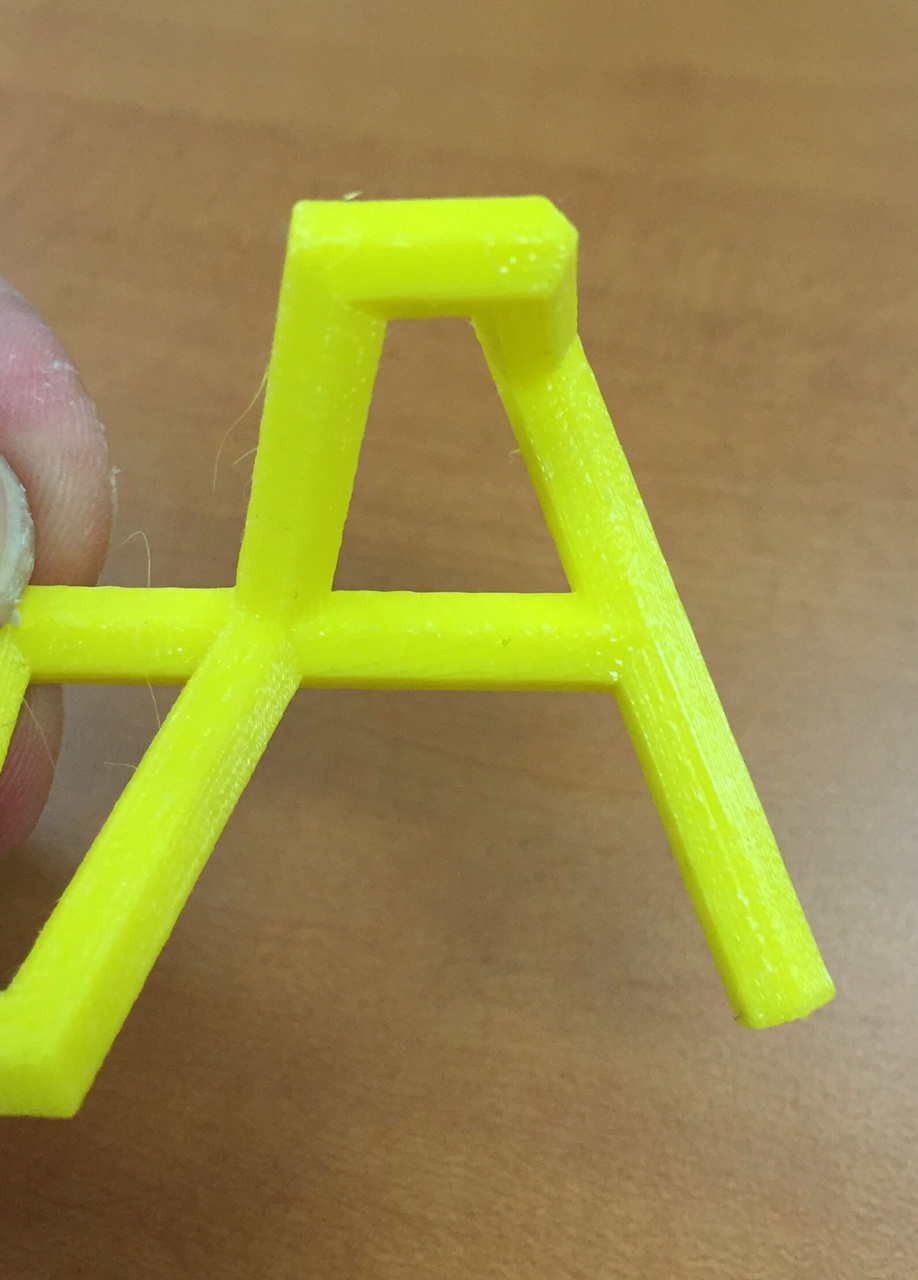
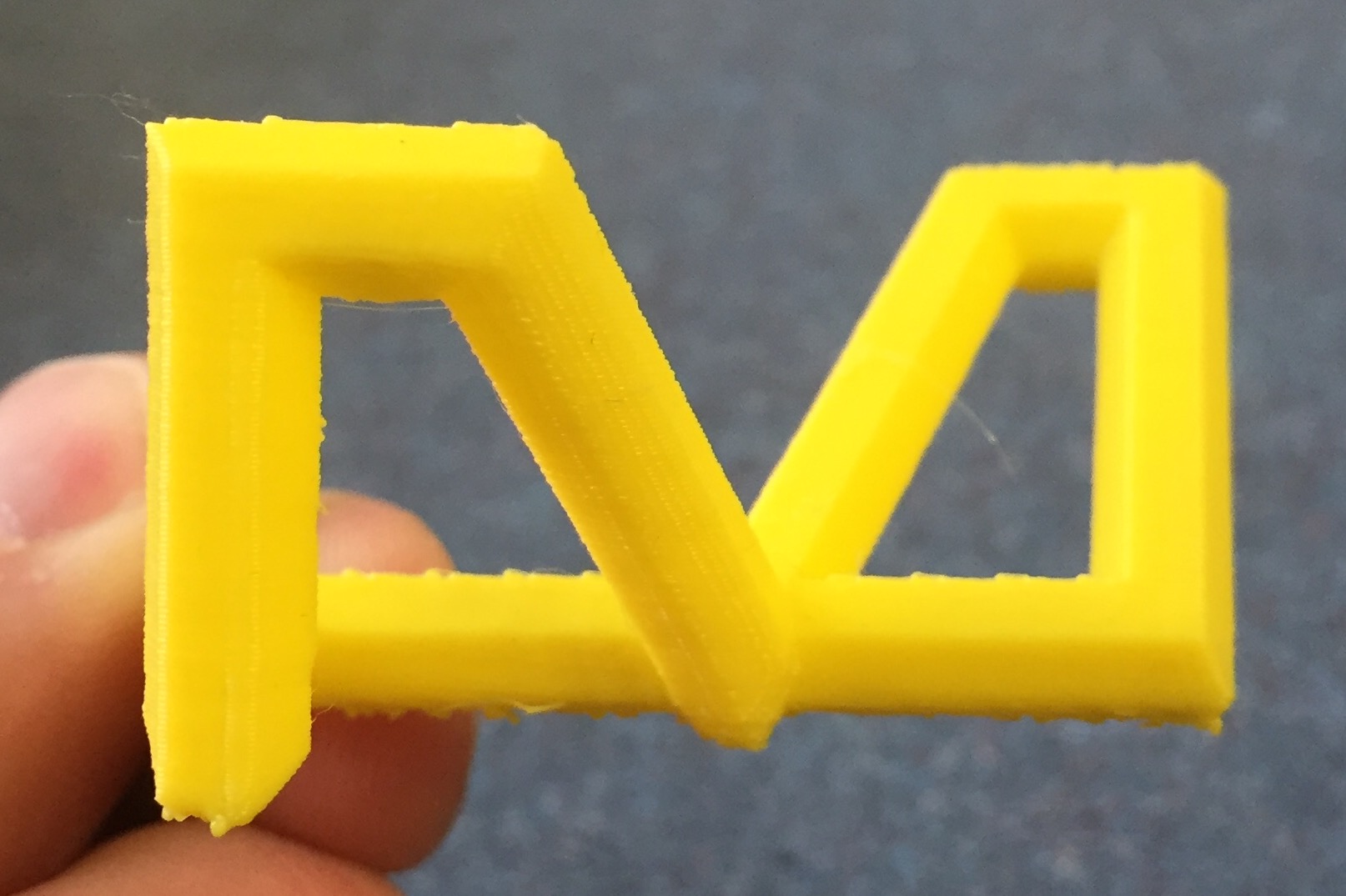
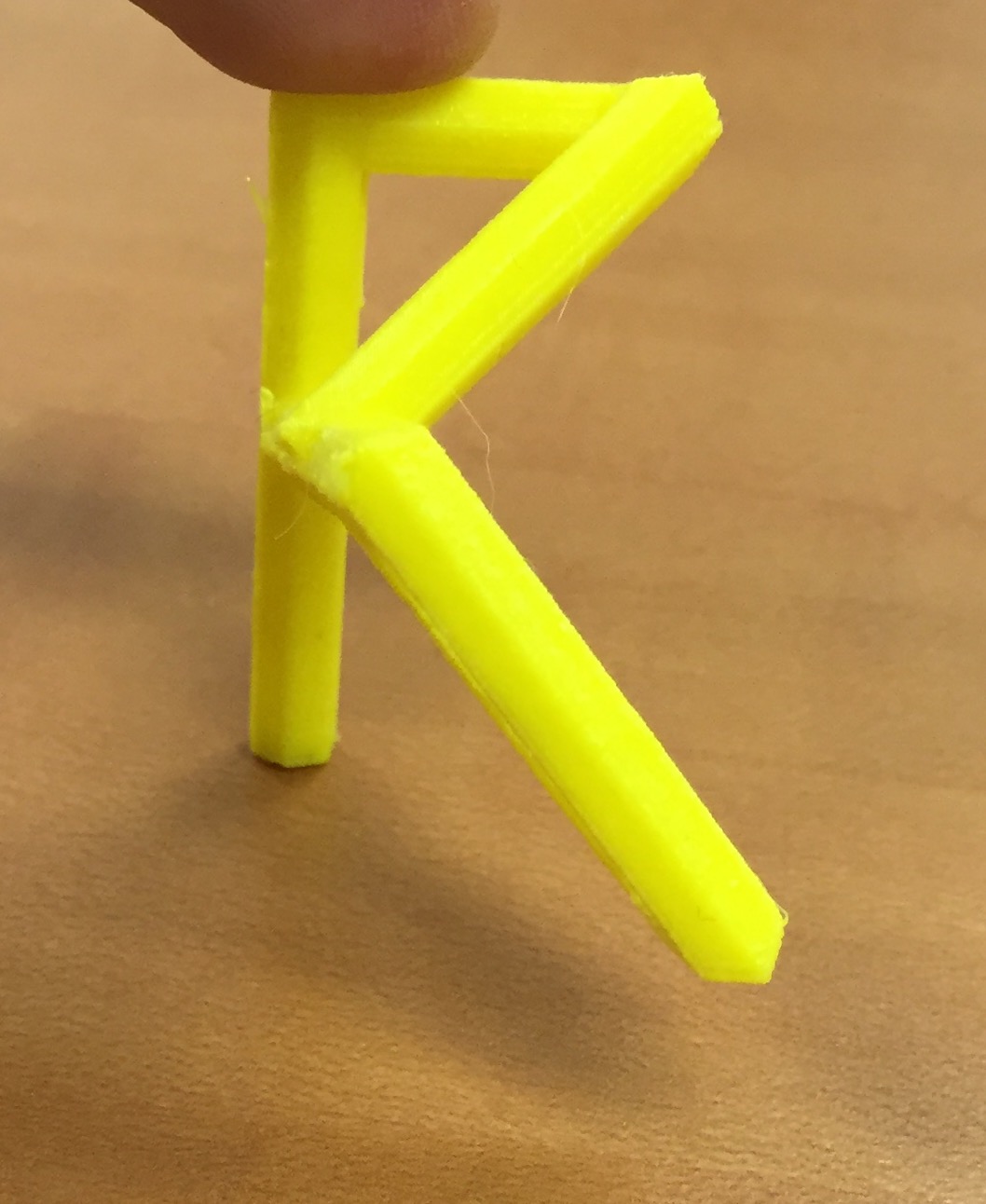
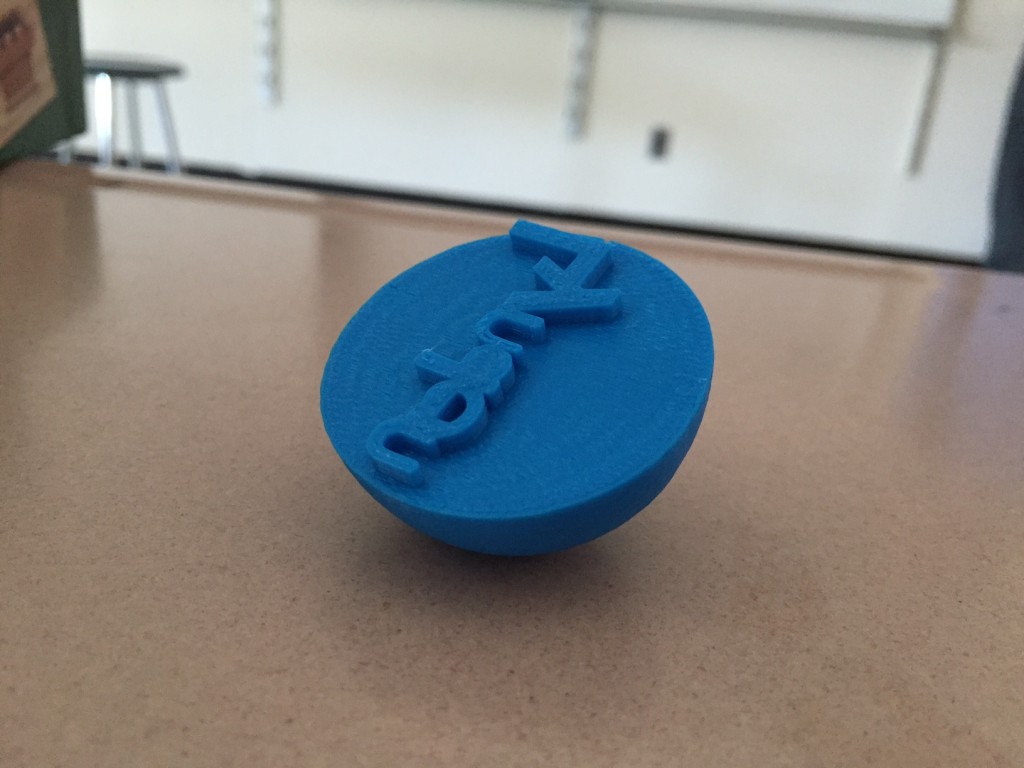
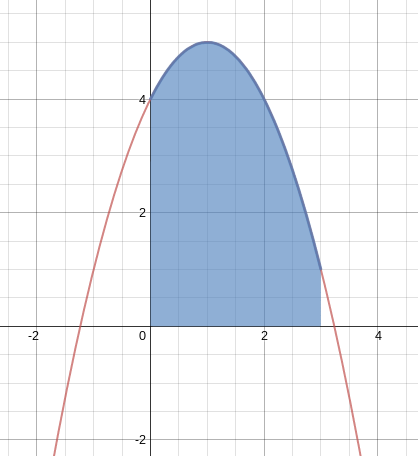
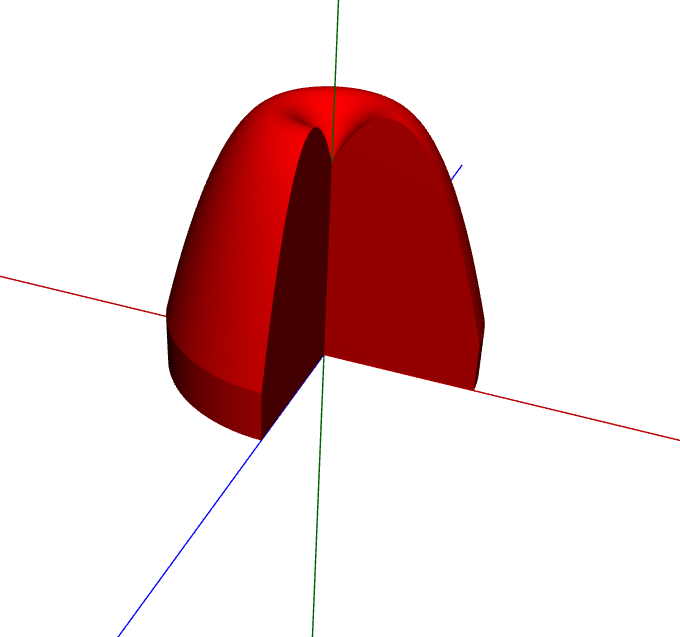
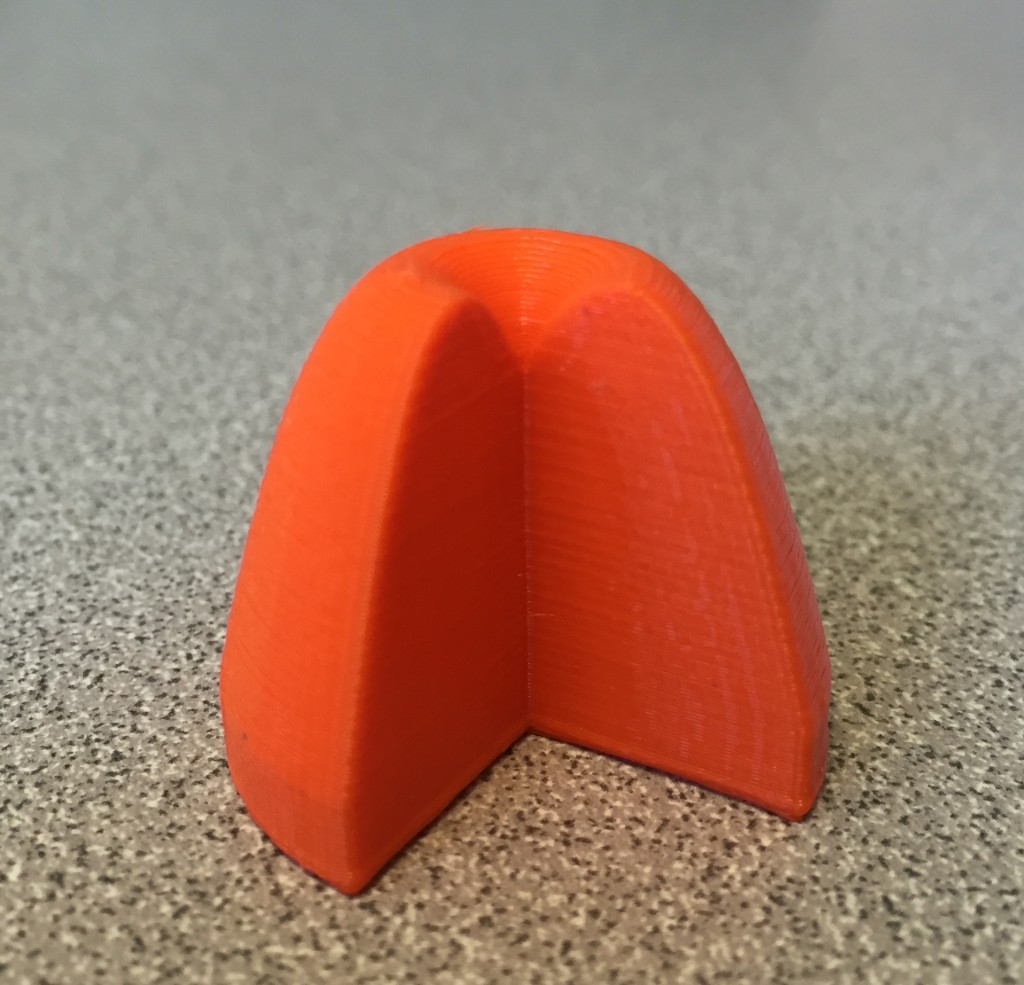
Questions
We’ve been building and using Madeup for several years now. We’ve done outreaches for Hour of Code and school visits to our campus, workshops at our public library, and summer camps. I’ve used Madeup in several introductory classes. I’ve got some anecdotes about how these have gone, but progress is slow and we are only just getting to a level of stability where we can begin more formal evaluation. Since we are still in the formative stage of development, I have fewer answers than questions, so I’d like to put a few to you:
- What outcomes would you as a computer science educator like to measure in order to evaluate Madeup as a computer science learning tool?
- We have a multitude of excellent learning environments for creating digital artifacts. What role do you believe tools for creating physical artifacts have in computer science education?
- What exactly happened to Logo? It surged in the 1980s, and then faded away—though its ideas live on.
- Schools and libraries are building makerspaces. What sort of learning happens in these or should happen in these?